AI systems
Accessibility QA agent
A task-scoped AI coding-agent workflow that combines deterministic HTML checks, browser journeys and responsible manual-test boundaries for web accessibility QA.
- Active
- 14 Aug 2026
- Agent workflow design, WCAG-informed QA, prompt direction, testing and human evaluation
- Codex skills
- Prompt design
- AI-agent-generated analyzer
- Browser testing
- WCAG 2.2 review
- Accessibility QA
- Evidence classification
- Human evaluation
What the agent is
The Accessibility QA agent is a specialized AI coding-agent workflow packaged as a Codex skill. The agent performs the investigation and makes bounded QA judgments; the skill stores its reusable instructions, deterministic script, test matrix and reporting rules.
It is stored publicly in this repository at
skills/accessibility-qa-agent/ and installed personally in the Codex skills
directory. This makes the workflow both reviewable and reusable.
When it runs
It runs only for a task that explicitly invokes $accessibility-qa-agent or
asks for accessibility QA matching its description. It does not remain active,
watch websites or run in the background. A recurring Codex automation could
invoke it on a schedule, but no automation is created by this project.
How it works
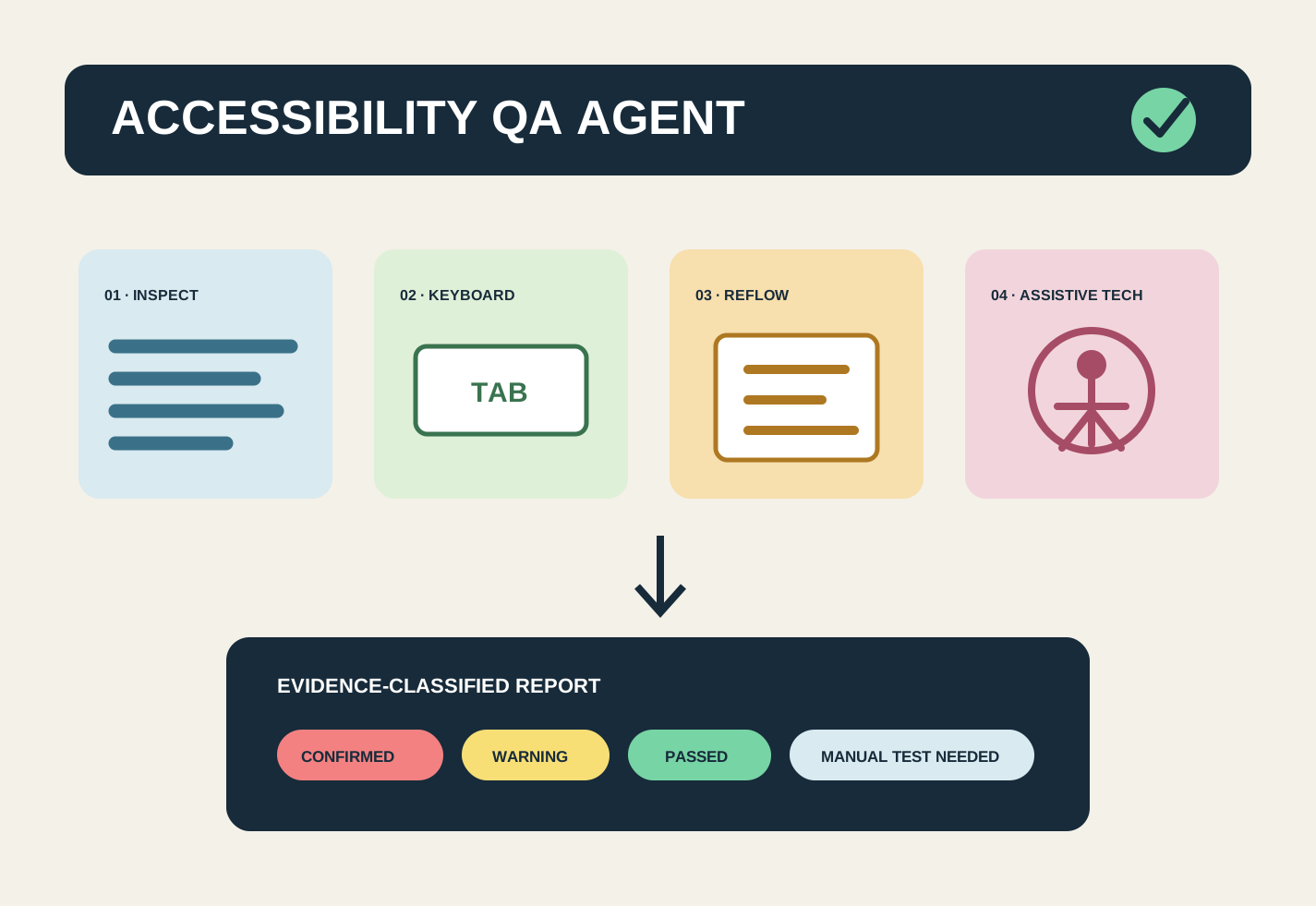
- Define pages, essential journeys, viewports and the intended WCAG review target. Defaults to Level AA, but the same skill can be pointed at Level A or AAA. Raising the target does not change the checks it runs, only the bar each result is measured against, most visibly on contrast.
- Analyze rendered HTML for deterministic signals such as language, titles, headings, image alternatives, duplicate IDs, ARIA references, tabindex and iframe titles.
- Select relevant keyboard, focus, reflow, form, menu, slider and motion tests from a reusable matrix.
- Use browser interaction to test the actual journeys.
- Classify results as confirmed issues, warnings, passed checks or manual tests still required.
- Produce developer-ready evidence, impact, fixes and retest steps without claiming automated conformance.
Tide & Toast test
The first run analyzed the actual production build of all four Tide & Toast pages: home, menu, about and contact.
Deterministic results
| Check | Result |
|---|---|
| Pages analyzed | 4 |
| Document language | Passed on all pages (en) |
| Page titles | Passed on all pages |
| H1 count | One on every page |
| Image alt attributes | Present on all images |
| Duplicate IDs | None detected |
| Unresolved ARIA references | None detected |
| Positive tabindex | None detected |
| Untitled iframes | None detected |
| Confirmed automated issues | 0 |
This result means the inspected markup passed the checks the script actually performed. It does not mean the website is fully accessible.
Manual QA still required
- Complete the desktop navigation, mobile hamburger menu and homepage slider using only the keyboard.
- Confirm that focus is visible and follows a logical order on every page.
- Test reflow at 320 CSS pixels and text at 200% zoom.
- Review landmark navigation, link names and slider behavior with a screen reader.
- Verify computed contrast in default, hover, active and focus states.
- Enable reduced motion and confirm automatic movement stops or remains controllable.
- Test with representative assistive technologies and disabled users before a high-stakes launch claim.
Responsible reporting
The agent deliberately distinguishes “no issue detected” from “passed through manual testing.” It never claims ADA compliance or full WCAG conformance from automation. That boundary is part of the system design, not a disclaimer added after the results.
What this project demonstrates
This project shows how I direct a specialized AI workflow with deterministic tools, explicit evidence classes, practical browser testing and responsible limits. It also demonstrates the difference between reusable agent instructions and a background automation.